
What is automated payment? A solution for self-checkout counters
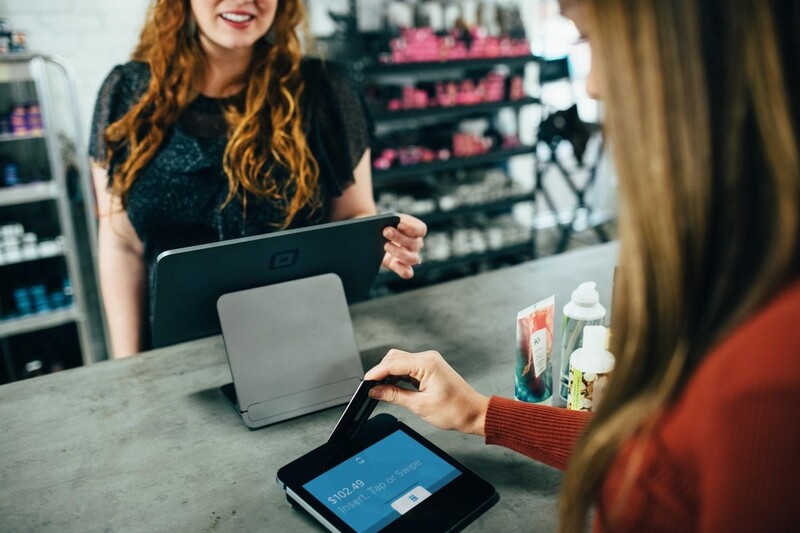
Automated payment is gradually replacing traditional methods, saving time and improving accuracy and security for customers and businesses.
Today, adopting new technology to streamline the payment process has become an essential trend for retail stores, supermarkets, and businesses of all kinds. Automatic payment — carrying out transactions without human intervention — is steadily replacing traditional payment methods. Beyond saving time for customers and staff, automatic payment also improves accuracy and security in transactions. So what exactly is automatic payment, and what solution can optimize a self-checkout counter? Let's find out below.
1. What is automatic payment?
Automatic payment is a financial transaction method carried out without human intervention. Instead of manual steps handled by staff or direct data entry, every transaction runs through connected software and technology systems, making payment fast and efficient. Through advanced technologies such as QR codes, bank cards, e-wallets, or other automated systems, customers can complete payment in just a few simple steps. Automatic payment doesn't just add convenience — it saves time for both buyer and seller.
2. Advantages of automatic payment
Automatic payment is becoming a major trend among modern retail stores. Integrating automatic payment systems streamlines the shopping process and delivers real benefits to both customers and businesses. Here are the standout advantages of automatic payment.

- Saves customers time: one of the clearest advantages of automatic payment is a shorter wait. Customers don't need to stand in line, especially during busy periods like weekends or holidays. Faster checkout reduces inconvenience and boosts customer satisfaction.
- Fewer payment errors: with automatic payment, every transaction runs through software, minimizing errors from manual data entry. The system automatically calculates the total due, applies promotions or discounts, and ensures accurate change is returned to the customer.
- Improved customer experience: automatic payment doesn't just cut wait time — it delivers a convenient, modern experience. Customers can pay with credit cards, debit cards, e-wallets, or cash, boosting satisfaction and encouraging repeat visits.
- Lower costs for the business: automatic payment systems reduce the staffing needed at checkout, cutting operating costs. Staff can focus on other tasks instead of manually processing payments. Automating the process also reduces payment errors and related support requests.
- Stronger security: modern automatic payment systems typically include advanced security measures such as encrypting card information and transactions, protecting both the business and its customers. These systems can detect and block fraud or unauthorized payments, safeguarding financial data and building customer trust.
- Easy management and oversight: automatic payment systems make it easy for businesses to track and manage sales transactions. Transaction data is stored and reported in real time, letting managers monitor sales performance and make strategic decisions. This also optimizes the payment process and supports smarter business decisions.
3. How automatic payment works
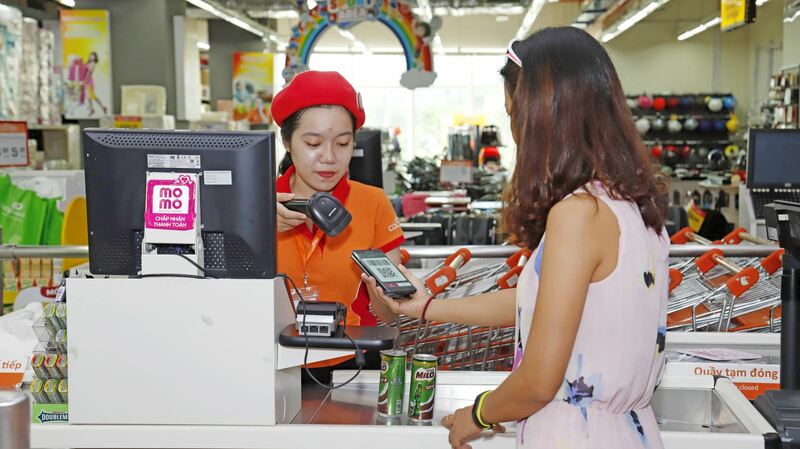
The automatic payment process can be broken down into a few simple steps:
- Select a product or service: the buyer first chooses the product or service they want to pay for.
- Provide payment details: the buyer submits information such as quantity, price, and the total amount due.
- Choose a payment method: after entering the details, the buyer selects a payment method — bank card, e-wallet, QR code, or cash.
- Authenticate the transaction: for a bank card, the user enters card details and an OTP; for an e-wallet, the customer scans a QR code or enters account details; for QR payment, the customer simply scans to confirm; for cash, the customer hands over payment and waits for a receipt.
- Receive payment confirmation: once the transaction completes, the buyer receives a receipt or confirmation notice, making the process complete and official.
4. A self-checkout solution — Retail Pro Prism
Retail Pro Prism offers a comprehensive, powerful solution for optimizing the payment process at self-checkout counters, boosting operational efficiency and improving the customer experience. With its distinctive features and deep integration into retail store systems, Retail Pro Prism simplifies work for staff while delivering a fast, convenient checkout experience for customers.
Here are some standout Retail Pro Prism features that optimize self-checkout counters:
Automated transaction processing
Retail Pro Prism's point-of-sale (POS) system enables fast, accurate transactions. Using a single unified electronic document trail, customers can complete automatic payment with minimal staff intervention — cutting wait times and reducing payment errors.
Automatic pricing and promotions
Retail Pro Prism includes automatic discounting and point-of-sale price adjustment, letting self-checkout counters easily adjust pricing by customer type (VIP, retail, wholesale, staff). This cuts down on manual work while making checkout faster and more accurate.
Barcode and SKU scanning
With the ability to quickly and flexibly select items by barcode or SKU, Retail Pro Prism's POS system automatically identifies products and calculates the total due without manual data entry — ensuring accurate, fast checkout and shorter transaction processing time.
Multi-channel payment integration
Retail Pro Prism supports a flexible, diverse range of payment methods, from credit and debit cards to mobile payment methods like e-wallets. This streamlines the payment process and meets the expectations of today's customers, who demand speed and convenience.
Real-time tracking and reporting
Retail Pro Prism tracks and reports every transaction in real time. This lets managers monitor how well self-checkout counters are performing, verify completed transactions, and promptly address any issues that arise.
To learn more about Retail Pro Prism, get in touch with LBC International, the official Retail Pro partner in Vietnam. With more than 10 years of experience in retail management software, LBC International is committed to delivering the best solution to help businesses optimize processes and boost efficiency.
In short, automatic payment is steadily becoming a major trend in retail — saving customers time while optimizing business performance. With clear advantages in convenience, security, and cost savings, automatic payment solutions will keep growing strongly in the years ahead. Retail management software like Retail Pro Prism, in particular, delivers comprehensive integration and helps businesses streamline the payment process quickly and accurately, elevating the customer experience and driving stronger business results.
Related articles
What is Unified Commerce? Its role in retail store chains
Unified Commerce is a model that integrates all sales channels and business management into a single system.
Experience in choosing an effective retail management solution
Useful experience to help you choose the best solution for your business model.
What is IoT? IoT applications in smart retail
IoT is changing retail through applications such as automated inventory management, contactless payments, and personalized customer experiences.